 QR Actions
The problem it solves
Most QR makers stop at "paste a web address." But a phone understands a lot more than links. A code can tell it to join a Wi-Fi network, start a text to a number, save a contact card, or put an event on the calendar.
Building those by hand means knowing the exact text format each one expects. QR Actions knows them, so you just fill in a form. It's the browser version of my Windows tool, QRActionDriver.
How it works
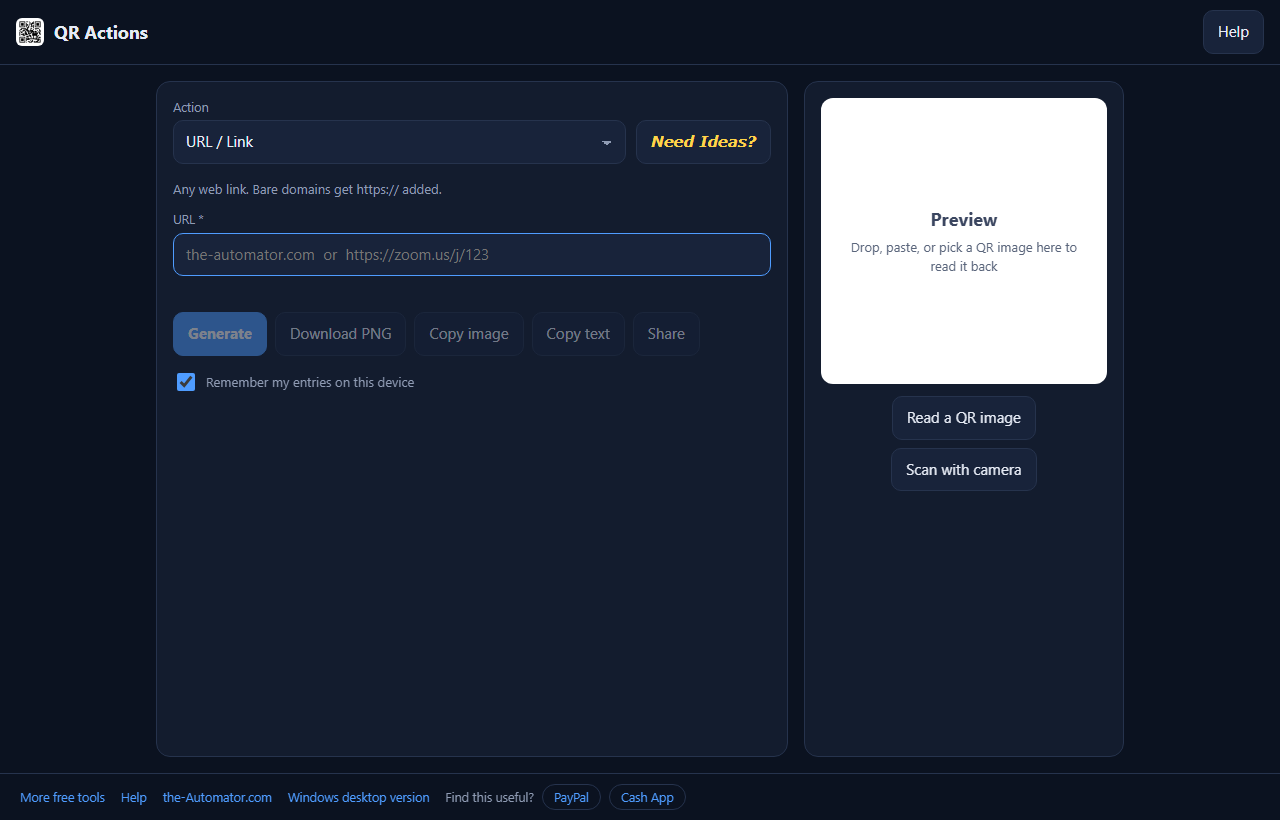
- Choose an action from the dropdown. A short line underneath tells you what a scan will do.
- Fill in the fields. Required ones have a star, and Generate stays greyed out until everything checks out.
- Press Generate. The code appears on the right. On a computer it's also copied to your clipboard, ready to paste into a document.
- Save it. Download the PNG, copy it, or use Share on your phone to send it to another app.
What a code can do
Wi-Fi: guests scan and the phone joins your network. No reading the password off the router.
Contact: a vCard that saves your name, phone and email in one tap. Handy on a business card or a booth sign.
Calendar event: a .ics file any calendar app imports, or a link that opens Google Calendar's add-event form.
Messages and calls: pre-filled email, text, WhatsApp or Telegram messages, or one-tap dialing.
Payments and meetings: PayPal.Me, Cash App or Venmo with an optional amount, and Zoom or Google Meet join links.
Plus plain links, app store links, map locations and plain text. Stuck for ideas? The yellow Need Ideas? button pulls a random one from a list of a thousand.
It reads codes too
Drop a picture of a QR code on the preview box, paste one, pick a file, or point your camera at it. QR Actions works out which kind it is and fills in the matching form, so you can fix a typo and make a fresh code. The raw text is shown underneath and copied to your clipboard.
Why I ask for your email
It tells me who is actually using the tool, which helps me decide what to keep building.
What you put into the codes stays with you. Everything happens inside your browser: nothing you type is sent to a server, and no image you drop in is uploaded. If Remember my entries is ticked, your form values are saved on your device only. Untick it to clear them.
I might send you a note now and then about other free tools I build. I will never sell or give your email to anyone else.
Questions people ask
Is it free?
Yes. Sign up once with your first name and email and make as many codes as you like.
Is a Wi-Fi code safe to print?
The code holds the password in plain form. Anyone who scans it gets the password, so treat the printed code like the password written on a card.
Why is Generate greyed out?
A required field is empty or something doesn't check out yet, like an amount that isn't a number. On a computer, hover the button to see the reason.
Copy image does nothing on my phone.
Some phone browsers, Safari especially, won't let a page put an image on the clipboard. Use Download or Share instead.
Does it work offline?
Yes. Once the page has loaded it works without a connection, and you can add it to your home screen.
Is there a Windows version?
Yes. The desktop version at the-Automator.com adds a one-click grabber for the Wi-Fi network you're on and a Dropbox share-link action.